Land & Property Mapper

CAIRN

Know your land. Plan your land. Own your data.

A free mapping tool built for people who spend time on the land — whether you're managing a property, planning a trail, or just want to map what's out there. Draw it, measure it, keep it on your phone.

Open the App See What It Does

No account. No subscription. Your data stays on your device.

✦   ✦   ✦

Built out of necessity,
kept free by design.

Most mapping apps want you to find places, follow directions, or buy a subscription before you can do anything useful. But sometimes you just need to draw what's actually out there — your fence lines, your trails, your water sources — and plan what comes next.

"I have 20 acres of oak woodland. I know roughly where the seasonal creek runs, where the old fence line is, where I want to put a check dam. I just need a way to draw it all out and plan."

Cairn started as a side project for exactly that kind of problem — a landowner who wanted real mapping tools without the complexity of professional GIS software or the limitations of consumer GPS apps.

It turns out the same tool that's useful for managing a rural property is also useful for anyone who maps the outdoors — hikers tracking favourite trails and campsites, volunteers maintaining paths, smallholders planning fences, or anyone who just wants a private, offline way to record what they find.

Cairn is the tool that should have existed already. Real geometry drawing, elevation profiles, terrain analysis, GPS recording, 30+ feature types — all offline, no account required, and free.

🔒

Your data, your device

Everything lives locally. No account, no cloud, no one else's server. Export it whenever you want.

🌲

Built for the outdoors

30+ feature types designed around how people actually use land — not generic GIS layers.

📶

Works without signal

Offline tile caching means you can map your back forty even when there's no cell service.

🆓

Free. Genuinely.

The full tool. No marker limits, no feature caps, no trial period. Free.
— ✦ —
✦   ✦   ✦

What Cairn Does

A real GIS tool.
Without the learning curve.

Draw on satellite imagery. Record paths with GPS. Analyze terrain. Export to any format. All from your phone, with or without signal.

01

Draw & Record

Points, lines, polygons, and freehand — draw directly on satellite or topo maps. Tap vertices manually, or turn on GPS recording and walk a path. Configurable precision by time or distance.

Core mapping
02

30+ Feature Types

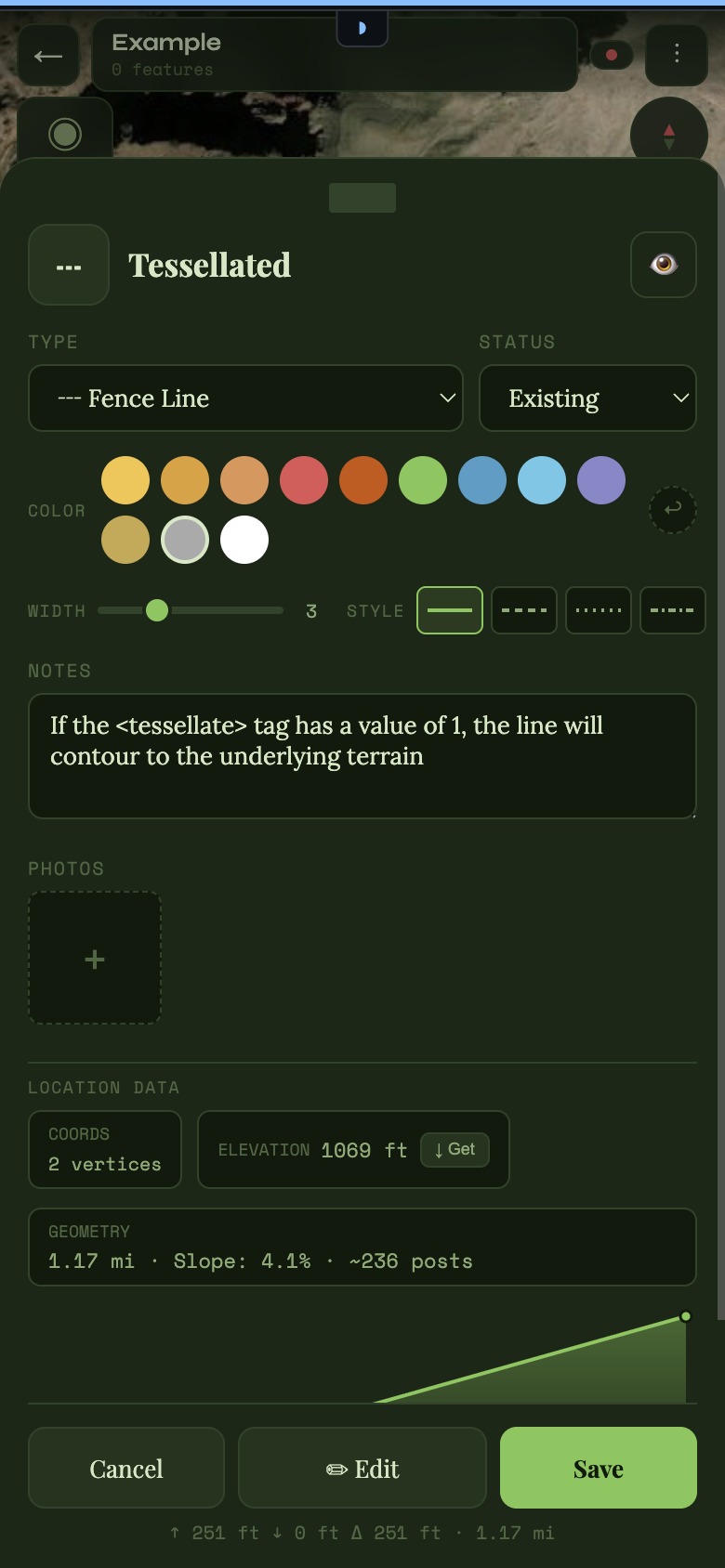
Boundaries, trails, water sources, fences, structures, vegetation, hazards, and more — categorized the way people actually think about land. Create your own custom types too.

Feature types
03

Elevation & Terrain

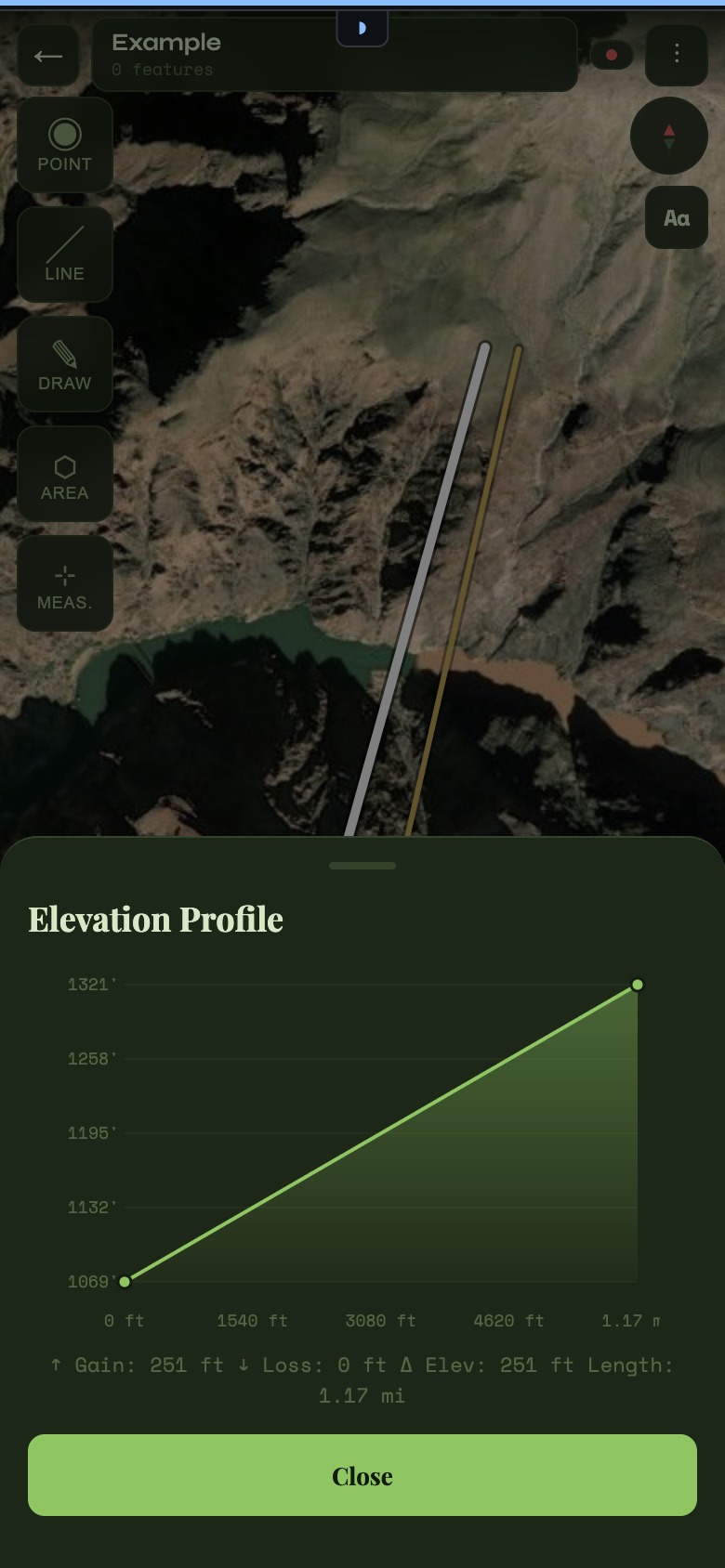
Get instant elevation profiles along any line. Calculate slope and mark flow or travel direction on waterways and paths. Real terrain analysis, not just a topo overlay.

Terrain analysis
04

Measure & Plan

Measure distances and areas directly on the map. Calculate fence post spacing along a line. Add buffer zones around features. Plan materials and layouts before you start work.

Planning tools
05

GPS Recording

Turn on recording and walk — Cairn traces your path as a line or polygon. Set precision by time interval, distance, or both. Ideal for mapping trails, fence lines, or property boundaries on foot.

Field recording
06

Works Offline

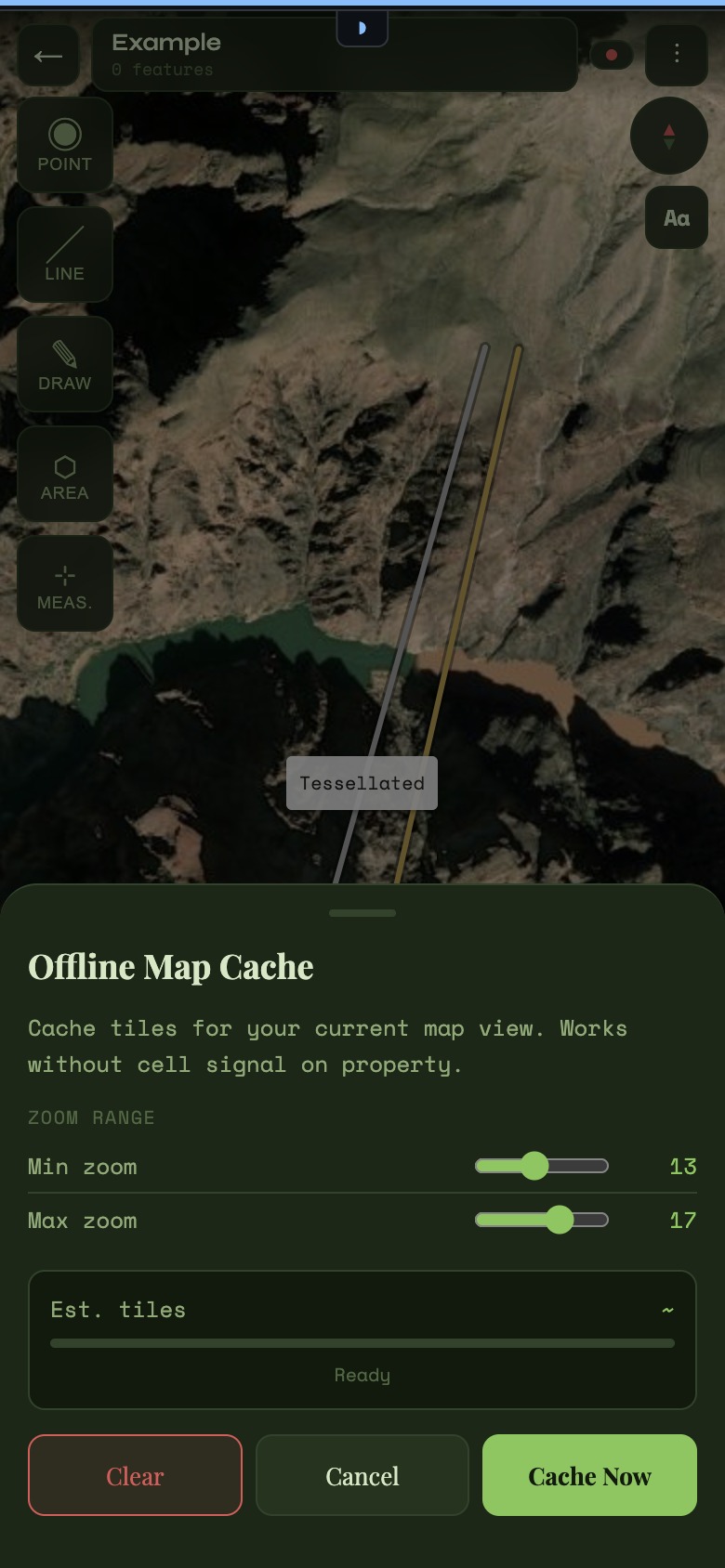
Cache satellite, topo, or street map tiles before you head out. Everything works without signal — drawing, recording, editing. Your map is always with you.

Offline-first
07

Photos & Notes

Attach photos and notes to any feature. Document a spring, record trail conditions, photograph a campsite or problem area. Your map becomes a living record.

Documentation
08

Import & Export

Export in KML, GPX, GeoJSON, or CSV. Import existing data from other tools. Your work is yours — take it to Google Earth, QGIS, AllTrails, CalTopo, or wherever you need it.

Open formats
09

Advanced Editing

Full vertex editing with multi-select and lasso tools. Style features with custom colours, line weights, and dash patterns. Simple mode for quick work, advanced mode when you need precision.

Precision tools
10

Projects & Layers

Organize work into separate projects. Filter features by type, toggle layer visibility, search by name. Manage multiple properties or areas without losing track of anything.

Organization
✦   ✦   ✦

In the Field

See it in action.

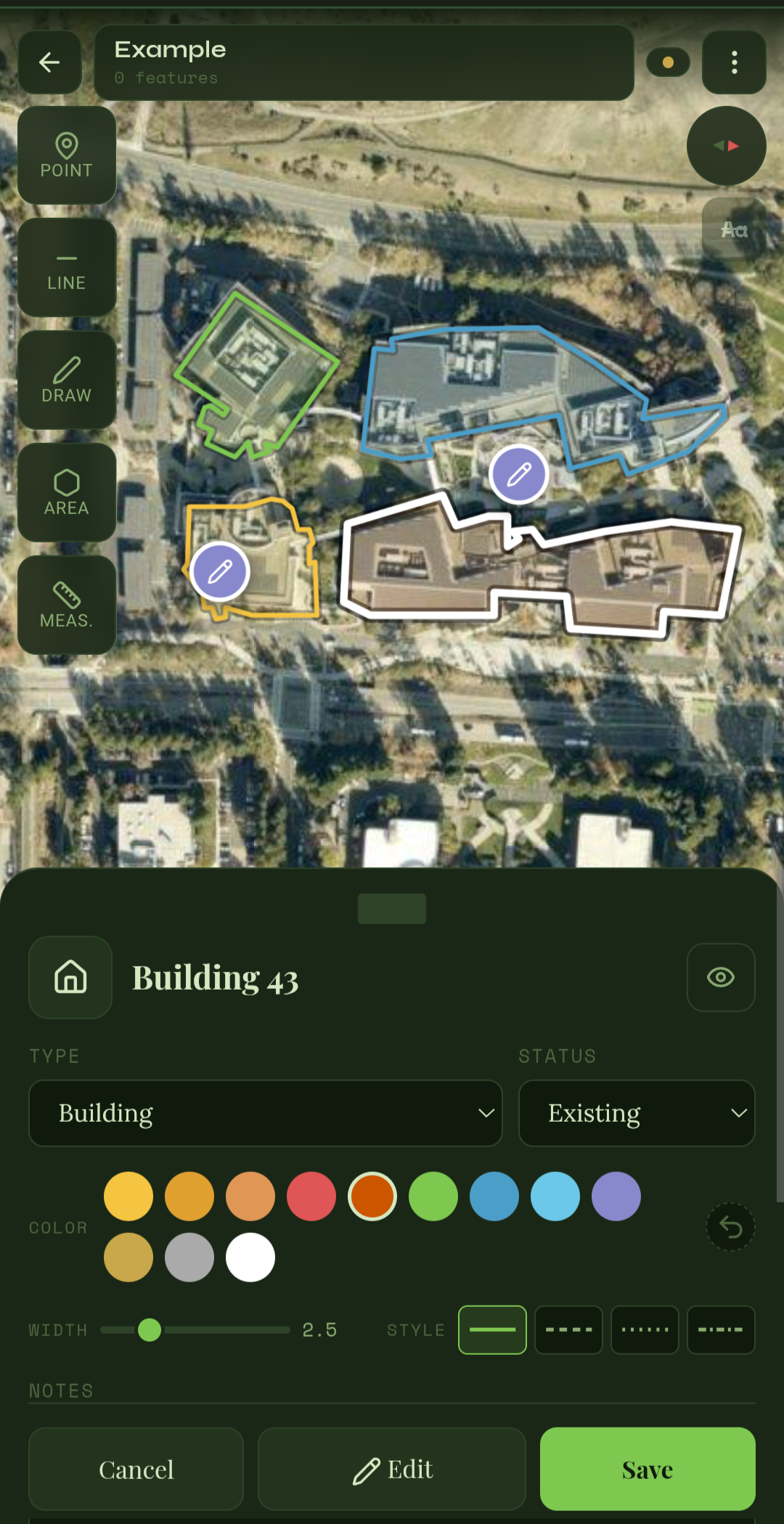
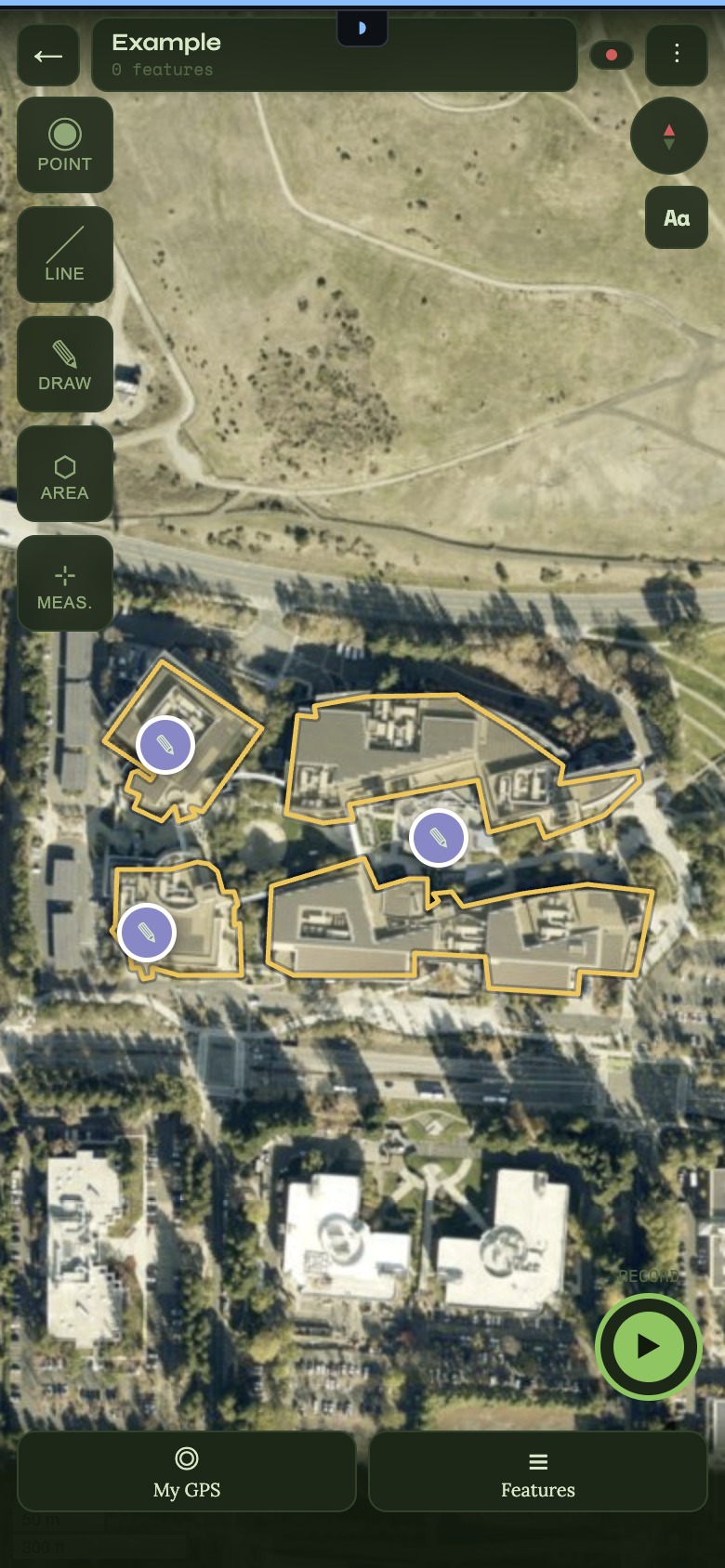
From drawing a boundary to walking a trail with GPS recording — Cairn is built to be used one-handed, in the field, in the sun.

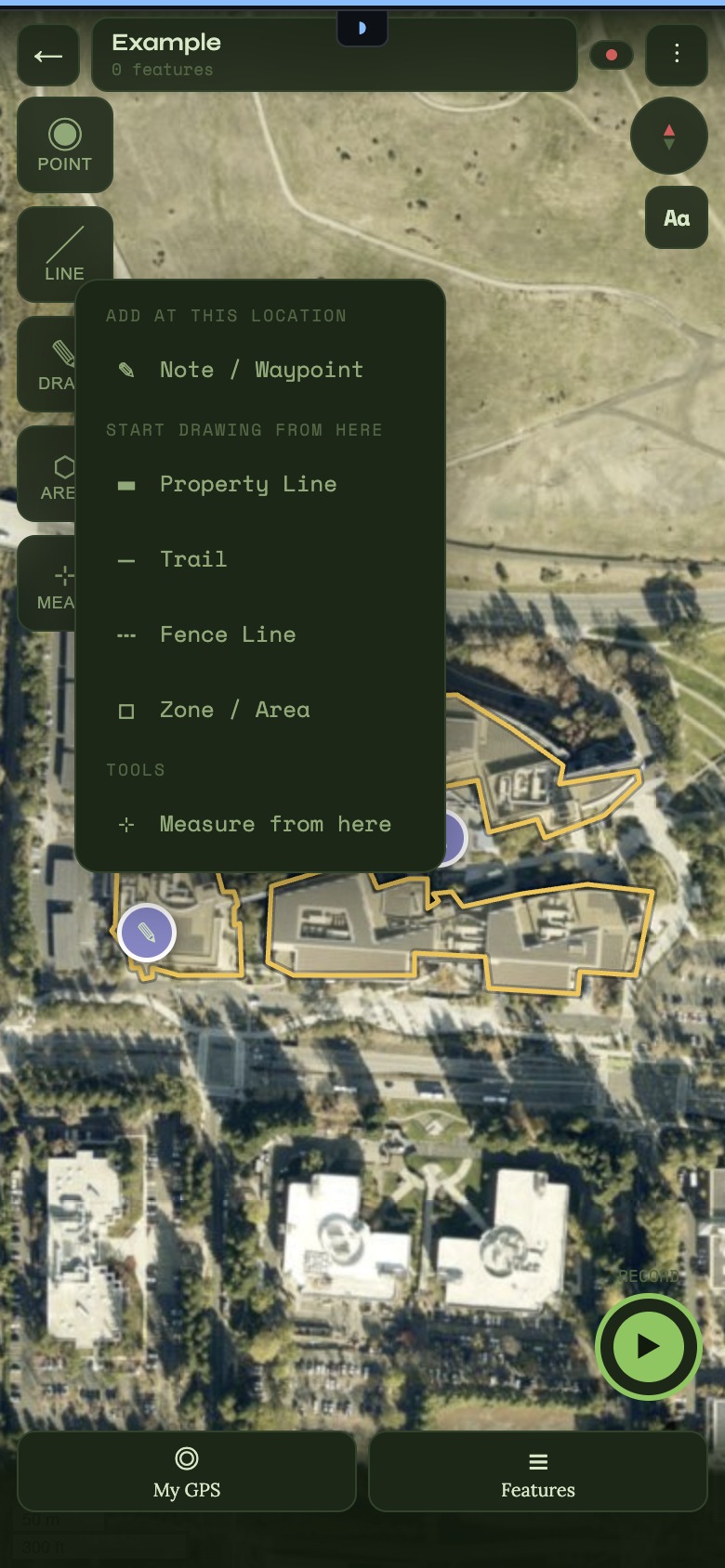
Cairn map overview
Full property map with drawn boundary, trails, and water features
Elevation profile
Elevation profile with slope analysis
Feature type selector
Feature type selector — trails, water, fences, structures & more
Fence post calculator
Fence post calculator with auto spacing
Offline map
Offline mode — full satellite tiles cached
✦   ✦   ✦

Open it.
Start mapping.

Cairn is a Progressive Web App — open it in any browser on your phone or desktop and add it to your home screen. No App Store required. Nothing to install. Whatever you map is stored locally on that device and that device only.

Open Cairn →

Works on any device with a modern browser — phone, tablet, or desktop. Add to your home screen for the full offline experience.

Buy me a beer 🍺

Cairn is free, ad-free, and there's no account to sign up for. Everything runs on your device — there are no servers to pay for — so there's no reason to charge for it. That's not going to change.

That said, if it's saved you time — helped you plan a fence line, map a trail, record a route, or figure out where the water wants to go — buying me a coffee (or beer) goes a long way toward keeping the thing maintained and improving. And my thanks for it.

🍺 Buy me a beer

No account, no obligation, no pressure. A one-time contribution of whatever feels right.